

Engineering Mathematics with Excel and MATLAB

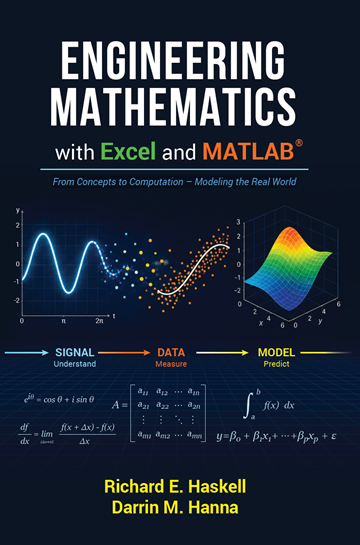
Engineering Mathematics with Excel and MATLAB® helps first-year engineering students turn mathematics into a practical problem-solving tool. Through hands-on examples, graphs, spreadsheets, and simulations, readers explore geometry, vectors, trigonometry, calculus, complex numbers, curve fitting, differential equations, probability, circuits, and mechanical systems. Rather than emphasizing memorization, the book builds intuition by connecting mathematical concepts to real engineering applications, helping students strengthen their skills, gain confidence, and prepare for success in engineering coursework.
More in Mathematics
Preface
In most engineering curricula, the first gate a student encounters is mathematics, usually calculus. Many students who arrive at the university excited to design vehicles, build robots, program intelligent systems, launch rockets, improve medical devices, or solve problems we have not yet imagined are told, quite reasonably, that they must begin with calculus in their first semester and continue along the math sequence every semester thereafter.
Mathematics departments teach mathematics, as they should. Their focus is on developing rigorous understanding, including the depth and structure of math theory. But for many first-year engineering students, the transition to university life is already a steep climb. They are learning how to study, manage time, live independently, ask for help, and think like engineers. At the same time, they are asked to master mathematical techniques at a depth and pace that can feel disconnected from the engineering problems that brought them to college.
The unfortunate result is that many capable students begin to believe engineering is not for them, not because they cannot think like engineers, but because their first experience of engineering mathematics feels like a locked door rather than a set of tools.
This book was written to open that door.
Engineering Mathematics with Excel and MATLAB is not a watered-down calculus book. It is a different kind of math book. It teaches the math students will use in engineering through data, discovery, visualization, experimentation, Excel, MATLAB, and artificial intelligence. Rather than getting stuck on computation alone, students can focus on interpreting results, asking better questions, and developing insight into how mathematical ideas work. These tools also give faculty new opportunities to meet students where they are and help them build understanding step by step.
Our approach is not simply to decorate engineering problems with mathematics and hope the connection becomes clear. That often asks beginning students to learn the engineering principles, physics, and math all at once; a three-ring circus. Instead, students observe patterns, compute slopes, estimate areas, visualize change, fit functions, and explore behavior before moving to analytical methods. They first see what mathematics is doing before they are asked to manipulate and generalize it.
The accompanying problem-solving manual extends this approach in the age of AI. Students collect and work with data, calculating slopes, iiiareas, rates of change, accumulated quantities, and other ideas from numerical evidence. They learn to fit functions to data when useful and to work with functions as data when more practical. From there, they move naturally into differentiation, integration, modeling, and engineering problem solving.
This discovery-based approach allows students to ask some of the most interesting questions in mathematics. Why is π equal to 3.14159…? Why does e, that strange and persistent 2.71828…, appear whenever growth, decay, and change are involved? Why does the imaginary unit i live where it does on the complex plane? Where did Euler’s equation come from, and why does it connect exponentials, trigonometry, complex numbers, and π in a single expression? These are not merely formulas to memorize. They are ideas to uncover.
Excel, MATLAB, and AI allow students to compute, graph, simulate, experiment, and explore math visually and numerically before formalizing it symbolically. Used well, they do not replace mathematical understanding; they help build it. A graph can suggest a pattern. A spreadsheet can reveal structure. MATLAB can extend an idea. AI can support exploration and explanation. But the student still learns to think.
Chapters 1–3 introduce Excel and MATLAB through topics such as series, the Fibonacci sequence, vectors, and systems of equations. Chapters 4–6 develop the core ideas of calculus through discovery. Chapter 7 introduces function fitting and linear algebra. Chapters 8–9 cover essential calculus techniques used in engineering. Chapter 10 presents differential equations through engineering systems, and the final chapter revisits algebraic equations and computational methods for solving them.
The goal of this book is not to replace the full calculus sequence, but to prepare students for it and give them meaningful mathematical tools earlier in their engineering education. With this preparation, students can begin engineering coursework with confidence and delay the traditional calculus sequence until they have more academic maturity, experience, and a clearer sense of how math works.
Engineering students do not need to master a depth of mathematics before they begin learning engineering. They need mathematics to be visible, useful, connected, and discoverable. That is the purpose of this book.
Richard E. Haskell
Darrin M. Hanna
Table of Contents
- 1. Introducing Excel
- 1.1 Arithmetic Series
- 1.2 Triangular Numbers
- Named Variables
- 1.3 Geometric Series
- Plotting a Graph in Excel
- 1.4 Fibonacci Sequence
- The Golden Rectangle
- Fibonacci Spiral
- Repeated Fraction
- Fibonacci Rabbits
- Binet’s Formula
- 1.5 Computing n² in Your Head
- 1.6 A Square Root Algorithm
- 1.7 Summary
- 2. Triangles and Circles
- 2.1 Pythagorean Theorem
- 2.2 Trigonometric Functions
- 2.3 Circumference of a Circle
- 2.4 The Area of a Triangle
- 2.5 The Area of a Circle
- 2.6 The Acreage of a Plot of Land
- Excel Solution
- 2.7 Euclid’s Elements
- Other Circle Theorems
- 2.8 Summary
- 3. Introducing MATLAB
- 3.1 Vectors
- Vector Addition
- Vector Subtraction
- Unit Vectors and Coordinate Systems
- Addition of Vectors by Components
- Three-Dimensional Vectors
- Direction Cosines
- 3.2 MATLAB Vectors
- 3.3 Dot Product
- Dot Product and Vector Components
- 3.4 MATLAB Dot Product
- 3.5 Cross Product
- Definition of the Cross Product
- Distributive Law for the Cross Product
- Cross Product and Vector Components
- Determinant
- Associative Law
- Cross Product Geometric Properties
- Cross Product and Determinant in MATLAB
- 3.6 MATLAB .m File
- 3.7 Solving Linear Equations
- MATLAB Matrix Inverse
- 3.8 Airplane Problem
- 3.9 Summary
- 3.1 Vectors
- 4. Slopes and Derivatives
- 4.1 Exponents and Logarithms
- 4.2 Finding the Slopes of the Logarithm Curves
- 4.3 Finding the Slopes of Exponential Curves
- 4.4 Finding Slope Curves Using MATLAB
- 4.5 Car Velocity and Acceleration
- 4.6 Circular Functions
- 4.7 Power Derivative
- 4.8 Chain Rule
- 4.9 Summary
- 5. Areas and Integrals
- 5.1 Calculating the Area Under a Curve with Excel
- 5.2 Area of a Quarter Circle
- 5.3 Areas of Sine and Cosine Waves
- 5.4 Areas of 1/x and ln x
- 5.5 Area of eˣ
- 5.6 Area of xⁿ
- 5.7 Calculating the Area Under a Curve with MATLAB
- 5.8 Car Velocity and Distance
- 5.9 Table of Derivatives and Integrals
- 5.10 Summary
- 6. Complex Numbers and Euler’s Equation
- 6.1 The Square Root of −1
- 6.2 The Complex Plane
- 6.3 Euler’s Equation
- 6.4 Sine and Cosine Waves
- 6.5 Trigonometric Identities
- 6.6 Logarithmic Spiral
- 6.7 Fractal Geometry
- The Koch Curve
- The Julia Set
- Orbits of the Julia Set in Excel
- The Mandelbrot Set
- 6.8 Summary
- 7. Curve Fitting
- 7.1 Linear Polynomials and Lines
- Plotting a Line
- 7.2 The Pseudo-Inverse and Left Division Operator
- 7.3 Fitting Quadratic and Cubic Data
- 7.4 Fitting Exponential Data
- Measuring Capacitance
- Compound Interest
- 7.5 Infinite Series
- Infinite Series of Trigonometric Functions
- 7.6 Measuring Phase in Sinusoidal Data
- 7.7 Why is Linear Regression Least Squares?
- 7.8 How Good is the Least Square Fit?
- 7.9 Multiple Linear Regression
- 7.10 Summary
- 7.1 Linear Polynomials and Lines
- 8. Differentiation
- 8.1 The Product Rule
- 8.2 The Quotient Rule
- 8.3 Car Displacement and Velocity Derivatives
- 8.4 Implicit Differentiation
- Related Rate Problems
- 8.5 Maxima and Minima
- 8.6 The Fundamental Theorem of Calculus
- Exploring the Fundamental Theorem with Excel
- Exploring Fundamental Theorem with MATLAB
- 8.7 Summary
- 9. Integration
- 9.1 Method of Substitution
- 9.2 Integration by Parts
- 9.3 Area of a Circle
- 9.4 Area Under the Gaussian Function
- 9.5 Volume of a Cone
- 9.6 Volumes in Rectangular Coordinates
- 9.7 Volumes in Cylindrical Coordinates
- Volume of a Vase
- Volume of a Cone
- Volume of a Hemisphere
- 9.8 Volume and Areas in Spherical Coordinates
- Volume and Area of a Sphere
- Area of a Cone
- 9.9 Length of a Line
- Catenary Curve
- 9.10 Gabriel’s Horn
- 9.11 Summary
- 10. Electric Circuits and Mechanical Systems
- 10.1 Circuit Elements
- Resistor
- Voltage Sources
- Capacitor
- Inductor
- 10.2 RC Circuit
- 10.3 RL Circuit
- 10.4 RLC Circuit
- 10.5 Mass-Spring-Dashpot System
- 10.6 Sinusoidal Signals and Phasors
- 10.7 Impedance and Admittance
- Capacitor
- Inductor
- 10.8 RLC Circuit with an AC Source
- 10.9 Mass-Spring-Dashpot with a Forcing Function
- 10.10 Solution of the Differential Equation
- Eigenvalues and Eigenvectors
- The MATLAB Function eig(A)
- Solving the System of Differential Equations
- Special Cases for RLC Circuit and Mass-Spring-Dashpot
- Case 1: Overdamped – Real Sink
- Case 2: Underdamped – Spiral Sink
- The Trace-Determinant Plane
- Case 3: Undamped – Center
- 10.11 Summary
- 10.1 Circuit Elements
- 11. Solving Polynomial Equations
- 11.1 The Quadratic Equation
- General Solution of the Quadratic Equation
- Complex Roots
- 11.2 Solving Cubic Equations
- 11.3 Buoyancy
- 11.1 The Quadratic Equation
- Appendix A: Heron’s Formula for the Area of a Triangle
- Appendix B: The Normal Distribution
- Appendix C: Combinations and the Binomial Distribution
- Index
(356 pages)